How to Check for a Google Penalty (Without a “Penalty Checker”)
A Google penalty checker cannot tell you whether Google has penalised your site. Only Google Search Console can show a manual action, in its Manual actions report for a verified...
A Google penalty checker cannot tell you whether Google has penalised your site. Only Google Search Console can show a manual action, in its Manual actions report for a verified property. Every other tool sold as a penalty checker measures a proxy – traffic around update dates, link-risk scores, crawl errors or rankings – and none of those proves that Google took action.
Most pages that rank for “google penalty checker” are tool lists. This guide does something different: it shows how to check for a penalty yourself in about 30 minutes, explains what each category of commercial checker really measures, and gives you a way to decide whether a paid tool is worth buying. Prices quoted in the tool table are typical planning ranges for commercial subscriptions in 2026, not universal list prices.
Contents
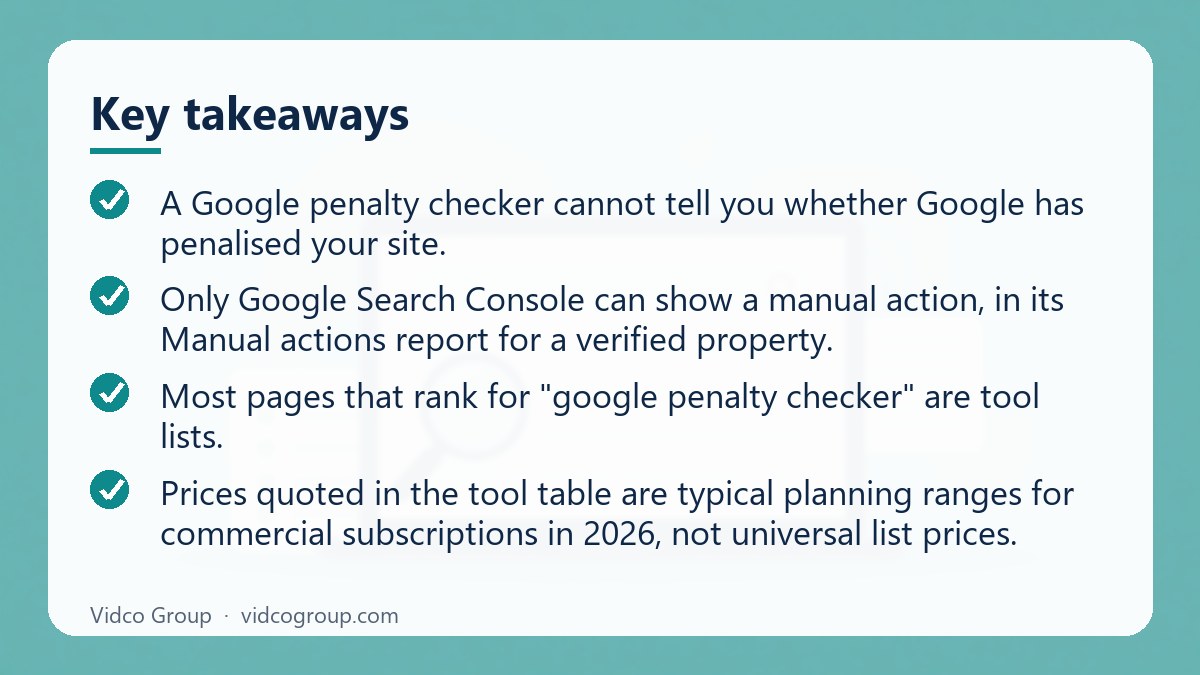
- How to check for a Google penalty: the short version
- Manual action vs algorithmic demotion
- Step-by-step: check your site in 30 minutes
- Symptom guide: what a traffic drop usually means
- What a “Google penalty checker” can and cannot access
- Tool categories compared
- What update-correlation tools actually measure
- What backlink “toxicity” scores actually measure
- What on-page and technical crawlers measure
- What rank trackers and analytics tools add
- How to evaluate a checker before paying
- What to do after you find something
- Common mistakes
- Frequently asked questions
- Sources
How do you check for a Google penalty? The short version
- Open the Manual actions report in Google Search Console. If it says no issues, you have no manual action.
- Check the Security issues report and the Page indexing report for hacked content or large drops in indexed pages.
- Compare your Search Console clicks and impressions with the dates of confirmed ranking updates on the Google Search Status Dashboard.
- Run a site search and a brand search on Google to see whether the site is indexed and whether it still ranks for its own name.
- Only then consider paid tools, and treat their “penalty detected” labels as a prompt for review, not as a verified finding.
Google does not offer an open interface that lets commercial tools query a site’s full penalty status. Treat every claim of “penalty confirmed” from a third party with caution.
Manual action vs algorithmic demotion: what you are actually looking for
“Google penalty” is used for two quite different things. Which one you are dealing with decides where you look and what you can do.
| Question | Manual action | Algorithmic change or demotion |
|---|---|---|
| Who decides? | A human reviewer at Google, after a spam-policy violation is found | Automated ranking systems, including broad core updates |
| Where is it shown? | Search Console, Manual actions report, plus a message to the property owner | Nowhere as a notice. You infer it from data |
| Can a third-party tool see it? | No | No – tools only see correlations |
| How do you fix it? | Fix the violation, then submit a reconsideration request in Search Console | Improve the pages and signals involved; there is no request to file |
| How long does recovery take? | Google says reconsideration reviews can take several days or weeks | Google says it can take several months for systems to confirm improvements |
Google describes core updates as broad changes that do not target specific sites or individual pages. A traffic drop after a core update is therefore not automatically a penalty, even though it can hurt just as much. Google’s spam policies, which cover practices such as cloaking, link spam, scaled content abuse and site reputation abuse, are the ones that can lead to a manual action or to lower rankings.
Step-by-step: check your site for a penalty in 30 minutes
Step 1: Open the Manual actions report
Sign in to Google Search Console, select the verified property and open the Manual actions report. If a manual action exists, the report lists the issue, whether it affects the whole site or specific pages, and what Google asks you to fix. If you see no issues detected, your site has no manual action for that property. If you have never verified the site, do that first: without verification there is no way to see the report.
Step 2: Check Security issues and indexing
Hacked content, malware and injected spam can lead to warnings and removals. Open the Security issues report and the Page indexing report. A sudden, large drop in indexed pages or a spike in “excluded” URLs deserves a closer look, but it is often caused by a technical change such as a noindex tag, a robots.txt rule or a migration rather than by Google action.
Step 3: Match the drop to a date
In Search Console, open Performance and compare equal periods, for example the 28 days before and after the drop. Then check the Google Search Status Dashboard for ranking updates and their start and end dates. Google’s own guidance for core updates is to note the start and end dates and wait at least a week after completion before analysing the impact in Search Console. Looking too early gives a misleading picture.
Step 4: Run two quick searches
- Site search: search
site:yourdomain.comin a private window. If almost nothing appears, the site may have been removed from the index or blocked. Treat the result as an indicator only, because the operator is not a precise count. - Brand search: search your brand name. A site that no longer ranks for its own distinctive name is a stronger warning than a drop on generic keywords.
Step 5: Separate brand and non-brand queries
In Performance, filter queries that contain your brand and compare them with the rest. If brand clicks are stable and non-brand clicks fell, the cause is more likely ranking competition, content relevance or a core update than a site-wide action. If both fell sharply on the same day, check for tracking or technical issues before concluding anything about Google.
Step 6: Rule out your own changes
List what changed in the 30 days before the drop: redesign, URL changes, a new plugin, robots.txt, canonical tags, consent banner, analytics tags, large batches of new or deleted pages. Most traffic drops that are blamed on penalties turn out to be self-inflicted technical changes.
Symptom guide: what a traffic drop usually means
| What you see | Most likely cause | Where to verify |
|---|---|---|
| A notice in the Manual actions report | Manual action for a spam-policy violation | Search Console, Manual actions |
| Gradual decline over months across many queries | Competition, content ageing, changing demand or SERP layout | Search Console Performance, 16-month view |
| Sudden drop on a date matching a confirmed update | Algorithmic re-evaluation, not necessarily a penalty | Search Status Dashboard plus Performance report |
| Sudden drop in clicks but impressions stable | Lower click-through rate or SERP change (for example new features above your result) | Performance report, CTR by query; see organic CTR and your own baseline |
| Pages vanish from the index | noindex, robots.txt, canonical change, server errors or hacked content | URL Inspection, Page indexing, Security issues |
| Analytics shows a drop but Search Console does not | Tracking or consent configuration problem | Compare Analytics sessions with Search Console clicks |
| Only a few queries lost rankings | Competitor improvements or intent shift for those queries | Search the queries and compare the top results |
What a “Google penalty checker” can and cannot access
A third-party crawler cannot inspect Google’s internal systems, see every ranking adjustment affecting a URL, or confirm that a quality action has been applied. Search Console is different because it is Google’s own property-level interface. Its Manual actions report can show whether Google has recorded a manual action for that verified site. If no notice appears, that does not turn every traffic decline into a harmless fluctuation; it simply means the third-party tools still cannot claim to have found a manual action.
Commercial tools generally work from one or more of four data sources:
- your Search Console and analytics data, if you connect them;
- their own keyword, click and ranking databases;
- their own crawls of your pages;
- their own link indexes and scoring models.
Those sources can help quantify a change, identify patterns and prioritise checks. They cannot replace Google’s own notice system. Treat the phrase “penalty detected” in a vendor report as a warning label for further review, not as a verified finding.
Tool categories compared
The table separates what the main categories actually measure. Prices are typical planning ranges for commercial subscriptions in 2026, not universal list prices; enterprise plans, usage limits, seats and historical-data requirements can change the total.
| Tool category | What it really measures | What it cannot see | Typical cost |
|---|---|---|---|
| Google Search Console | Google-reported clicks, impressions, queries, pages, indexing signals and the Manual actions report for a verified property | Unverified properties, competitors’ data, Google’s complete ranking logic and actions not displayed in the account | Free |
| Update and traffic-correlation tools | Whether your clicks, sessions or rankings moved near a documented or modelled Google update date | Whether the update caused your change, the exact affected URLs, or any manual action | Free to about $200 per month |
| Backlink audit tools | Link discovery, anchor text, referring domains and proprietary “toxicity” or risk scores | Google’s treatment of each link, the complete link graph, intent behind links, and a penalty decision | About $50 to $500+ per month |
| On-page and technical crawlers | Rules such as missing titles, duplicate content, status codes, canonicals, internal links and page-speed-related checks | Whether a flagged issue affected rankings, Google’s interpretation of content quality, or a manual action | Free limited plans to about $300 per month |
| Rank trackers | Observed positions for selected keywords, locations, devices and dates | All queries, personalised results, every SERP feature, and the reason a ranking changed | About $20 to $1,000+ per month |
| Analytics anomaly tools | Changes in sessions, conversions, landing pages, channels and selected comparison periods | Google’s search impressions, ranking causes, attribution certainty and manual actions | Free core products to several hundred dollars per month |
What update-correlation tools actually measure
These products compare a site’s visibility data with dates associated with Google updates. Some use your Search Console clicks and impressions; others use a proprietary panel of keywords or estimated organic traffic. A typical report might say that visibility fell by 18% within 48 hours of an update marker.
That is a correlation, not an attribution. A change on the same date may result from seasonality, a competitor launching new content, a tracking configuration change, a SERP layout change, demand moving to another channel, or an unrelated technical event. The tool usually cannot establish which explanation is correct.
Update databases also differ. One vendor may record a confirmed Google announcement, while another may label a period of unusual ranking volatility as an update. The date range can therefore be wider or narrower depending on the product. A practical evaluation question is whether the tool shows the underlying dates, keywords, landing pages and source data rather than presenting a single red line.
Use these tools for measurement, not verdicts. A useful report should let you change the comparison window, separate branded from non-branded queries, and distinguish clicks from impressions. For example, a 30-day comparison can be materially different from a 7-day comparison, especially for a seasonal business. A score of “high risk” without those underlying views is difficult to audit.
Questions to ask before buying one
- Does it use your first-party Search Console data, its own keyword panel, or both?
- How many keywords and locations are included in the monthly price?
- Can it show page-level and query-level changes rather than only a domain score?
- Are update dates labelled as confirmed, suspected or modelled?
- Can you export the raw comparison data?
What backlink “toxicity” scores actually measure
Backlink tools crawl their own indexes and evaluate features such as suspicious anchor-text patterns, link-network footprints, low-quality domains, unusual domain metrics, redirect behaviour and links appearing on pages with little apparent value. They combine those features into labels such as toxic, risky or potentially harmful.
The label is a model output. It is not a message from Google, and it does not mean Google has counted the link as a violation. No commercial link index contains every link Google knows about, and no vendor knows Google’s complete assessment of a particular linking page. For a fuller picture of why link databases disagree, see why backlink indexes differ.
False positives are common. A legitimate industry directory, local association, supplier page or old campaign may look unusual to a generic model. Conversely, a link that appears normal in a report may be part of a pattern the vendor cannot detect. A domain-authority metric is also not a penalty signal; it is a third-party estimate of link-based strength.
Do not delete or disavow links solely because a tool marks them red. Google’s own documentation says that in most cases it can assess which links to trust without extra guidance, and that the disavow tool is an advanced feature meant for sites with numerous spammy or artificial links that have caused, or are likely to cause, a manual action. Used incorrectly, it can harm a site’s performance in search. A red score can reflect low traffic, a foreign-language page, a sitewide footer link or an unfamiliar domain rather than a Google action. The tool becomes more useful when it exposes evidence for human review: the linking URL, target URL, anchor text, first-seen date and reason for the score.
Price is not a reliable proxy for accuracy. A $500 monthly link database may find more URLs than a $50 plan, but its toxicity classification is still an interpretation. Compare coverage, export limits and evidence fields instead of buying the most alarming score.
What on-page and technical crawlers actually measure
Site crawlers test pages against explicit rules. They can find a blocked resource, a 5xx response, a missing or duplicated title, a canonical pointing elsewhere, a redirect chain, thin internal linking, duplicate templates or multiple pages using the same description. These are observable conditions, which makes crawler output easier to reproduce than a proprietary penalty score.
However, a rule violation is not automatically a ranking cause. A duplicated title on 400 pages may be a minor metadata issue; a crawler will still count 400 instances. A page with a long load time may perform adequately for its audience, while a page that passes every automated check may offer little original value. The tool cannot reliably judge usefulness, intent satisfaction or how Google weighs competing pages.
Review the severity definitions carefully. “Error” often means “does not match this tool’s preferred configuration”, not “Google has penalised the URL”. The best products show sample URLs, crawl timestamps, HTTP responses and the rule that was applied. They also allow JavaScript rendering, authentication controls where appropriate, and sensible exclusions for faceted navigation or parameter URLs.
Technical crawlers are therefore quality-control tools. They are valuable for finding conditions that could interfere with crawling or presentation, but they do not confirm a penalty. Avoid reports that convert a count of warnings into a probability such as “72% chance of a Google penalty” without publishing a reproducible method. A precise-looking percentage can disguise a subjective scoring model. Our technical SEO work starts from this kind of observable evidence.
What rank trackers and analytics tools add
Rank trackers measure a defined sample, not your entire search presence. A tracker monitoring 500 keywords may show a 20% decline in that sample while total Search Console impressions remain stable because new queries, long-tail terms or different locations offset the loss. The reverse can also happen.
Results vary by country, city, device, language, search history and SERP features. Check whether the tool records local-pack results, shopping modules, featured snippets and other non-standard results. Ask how often it refreshes rankings: daily data is not the same as hourly data, and a single position can move several places between checks.
Analytics tools measure visits and business outcomes, not penalties. A sudden fall in organic sessions may reflect consent changes, an analytics tag failure, a channel-grouping change or a shift in search demand. A useful product will preserve annotations, compare landing pages and show the data source. It should not present an analytics anomaly as proof of a Google action.
How to evaluate a checker before paying
Run a controlled comparison rather than trusting the sales page. Export a 90-day view from Search Console and, if available, a 90-day analytics view. Then ask the vendor to explain exactly which inputs produced its score. This is an evaluation of the tool’s transparency, not a substitute for a separate investigation.
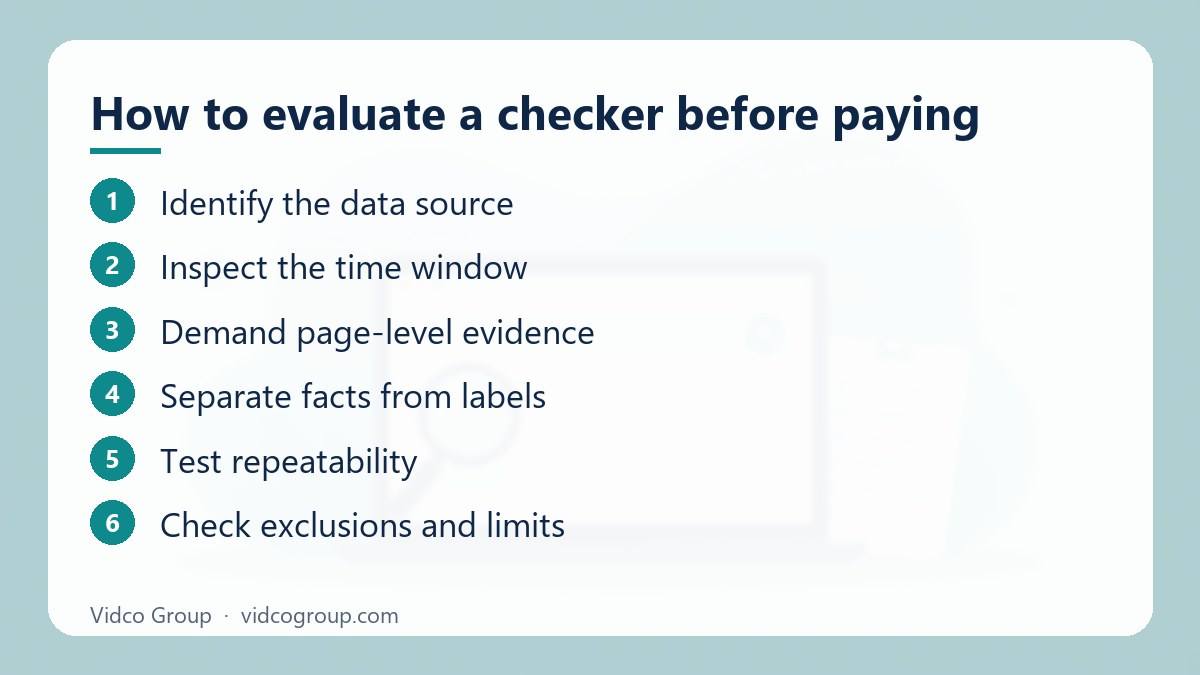
- Identify the data source. Confirm whether the report uses your property data, a third-party panel, a crawler or a link index.
- Inspect the time window. Check whether the tool supports 7-, 28-, 90- and 365-day comparisons. Short windows can exaggerate normal volatility.
- Demand page-level evidence. A domain-wide number is less actionable than the affected queries, URLs, dates and observed changes.
- Separate facts from labels. “HTTP 404 found” is an observation; “penalty risk: severe” is an interpretation.
- Test repeatability. Re-run the report after a crawl or data refresh and document what changed.
- Check exclusions and limits. Review keyword counts, crawl quotas, historical retention, location coverage and export restrictions.
For a small site, a free Search Console account plus a limited crawler may cover the factual basics. A larger organisation may justify paid rank tracking or link data for scale, but scale does not convert proxies into proof. Budget for the dataset you need, not for a dramatic “penalty” badge.
What a credible result looks like
| Credible report | Unreliable report |
|---|---|
| “Non-branded clicks declined 14% over 28 days” | “Google penalty confirmed” from a single red score |
| “63 tracked keywords moved below position 10” | A “penalty probability” with no method published |
| “27 referring URLs match our risk rules”, with URLs and reasons listed | Automatic advice to remove or disavow all flagged links |
| Update dates labelled confirmed, suspected or modelled | Proprietary number without inputs, sample size or refresh rate |
| Raw data exportable and repeatable | Only a PDF summary |
What to do after you find something
If Search Console shows a manual action
- Read the issue description and the list of affected pages. Do not guess at the cause.
- Fix the underlying problem across the whole scope, not only the sample URLs. For unnatural links, remove what you can; use the disavow tool only if the conditions in Google’s documentation apply.
- Document what you changed, with dates and evidence.
- Submit a reconsideration request in the report, explaining the problem, what you fixed and the result. Google says reviews can take several days or weeks, and you should not resubmit before receiving a decision.
If you suspect an algorithmic change
- Confirm the timing against the Search Status Dashboard and wait for the update to finish plus at least a week before drawing conclusions.
- Identify which pages and queries lost ground, then compare them with the pages now ranking. Look at usefulness, accuracy, originality and how clearly the page answers the query.
- Improve the content and experience for the affected pages. Google notes that improvements can take effect within days for some changes, but systems may take months to confirm lasting improvement, and some recovery may only appear at a later core update.
If nothing in Google’s tools shows a problem
Treat it as a performance investigation: technical regressions, content quality, competitors, SERP features and demand. Another change that often goes unnoticed is the loss of cached-page tools; see what to use instead of Google Cache.
Common mistakes when checking for a penalty
- Treating a vendor score as a Google notice. Only Search Console shows manual actions.
- Disavowing links in bulk because a tool marked them red. This can remove value and is not what Google recommends for most sites.
- Checking too early after an update. Data during rollout is volatile; wait for completion.
- Ignoring technical changes. Migrations, noindex tags and robots rules cause many “penalty” scares.
- Comparing unequal periods. Compare like with like (same weekdays, same season).
- Paying for a recovery service without evidence. A reputable provider shows the data behind the diagnosis.
Frequently asked questions
Is there an official Google penalty checker?
The closest thing is the Manual actions report in Google Search Console, which shows manual actions recorded for your verified property. Google does not provide a tool that reports algorithmic demotions.
Can a third-party tool tell me if I have a Google penalty?
No. Third-party tools can show correlations between your traffic and update dates, link-risk scores or technical issues, but they cannot see Google’s manual actions or confirm an algorithmic demotion.
What is the difference between a penalty and a core update?
A penalty usually means a manual action for violating spam policies, shown in Search Console. A core update is a broad change to ranking systems that Google says does not target specific sites or pages.
How can I check a competitor’s site for a penalty?
You cannot see their Manual actions report. You can look at their traffic history in third-party tools and archived snapshots, but any conclusion is an inference, not proof.
How long does it take to recover from a Google penalty?
For a manual action, Google says reconsideration reviews can take several days or weeks after you submit. For algorithmic changes, Google says it can take several months for its systems to confirm improvements.
Should I disavow links if a checker says they are toxic?
Not automatically. Google says most sites do not need the disavow tool, and it should be used with caution, mainly when spammy or artificial links have caused or are likely to cause a manual action.
Why did my traffic drop if there is no manual action?
Common reasons include a core update, competitors improving, seasonal demand, a technical change, a tracking problem or new SERP features. Use the symptom guide above to narrow it down.
Is a paid penalty checker worth it?
Only if it exposes the underlying data, lets you test its claims and adds something Search Console does not, such as scale or historical tracking. A tool that only produces a risk score is rarely worth the cost.
Conclusion and next step
The correct reading is simple: Search Console is the only place in this toolset that can display a Google manual-action notice for your verified property. Update monitors, link auditors, crawlers, rank trackers and analytics platforms can measure patterns around visibility, links, pages and traffic. They can be useful, but none can independently certify that Google has penalised a site. Start with the Manual actions report, match any drop to a date, rule out your own changes, and only then spend money on tools.
Vidco Group can help. If you have a traffic drop and want an evidence-based diagnosis rather than a risk badge, send us your domain. We review Search Console data, technical issues and content against the queries that lost ground, and we show the working so you can check it. See our technical SEO service or contact us.
Sources
- Google Search Console Help – Manual Actions report
- Google Search Central – Spam policies for Google web search
- Google Search Central – Core updates and your site
- Google Search Status Dashboard – Ranking updates history
- Google Search Console Help – Disavow links to your site
Updated: October 2026.
Need an SEO, AEO or GEO strategy?
The Vidco Group team is ready to work with you