Recovering From a Manual Action: The Reconsideration Path
How to remove a Google ban: open the Manual actions report in Google Search Console, read exactly which policy was violated and which pages are affected, fix every instance across...
How to remove a Google ban: open the Manual actions report in Google Search Console, read exactly which policy was violated and which pages are affected, fix every instance across the whole site, document the work, then click Request Review with evidence. There is no shortcut, and no request is needed if Search Console shows no manual action.
“Ban” is the word site owners use, but Google’s own documentation talks about manual actions: a human reviewer at Google decided that some or all of a site violates its spam policies, and the site may rank lower or stop appearing in results. This guide is the practical path for google manual action recovery. It explains how to tell a real manual action from an algorithmic drop, how to build a scope map, what to fix for each violation type, what a credible reconsideration request contains, and what to expect after Google replies. Last updated: October 2026.
Contents
- The short answer: what removing a Google ban really means
- Step 1: Is it a manual action or an algorithmic drop?
- Step 2: Map the true scope before changing anything
- Step 3: Fix each violation type properly
- Step 4: Prove the fix is complete
- Step 5: Build the evidence pack
- Step 6: Write and submit the reconsideration request
- Common mistakes that get requests rejected
- After the decision: what recovery looks like
- When to handle it in-house and when to bring in help
- Frequently asked questions
- Sources
The short answer: what removing a Google ban really means
A manual action is lifted only when Google’s reviewer is satisfied that the violation is gone everywhere it existed, that the cause was addressed, and that it is unlikely to return. The reconsideration request is not a negotiation. It is the last page of a completed project.
Google states that fixing the issue on just some pages will not earn a partial return to search results. If the action applies to a URL pattern or to the whole site, the fix has to cover that same footprint. That single rule explains most failed first attempts.
| Question | Answer in one line |
|---|---|
| Where do I see a manual action? | Search Console, Manual actions report. If it says no issues, there is nothing to reconsider. |
| Who decides? | A human reviewer at Google, after you click Request Review. |
| How long does review take? | Google says most reviews take several days or weeks, and sometimes longer. There is no guaranteed date. |
| Can I submit again right away? | Do not resubmit before you receive a final decision on the pending request. |
| Is revoking the action the same as getting traffic back? | No. Rankings can stay lower because the removed links, pages or signals no longer count. |
Step 1: Is it a manual action or an algorithmic drop?
Start in Google Search Console. Open the Manual actions report (under Security & Manual Actions in the older menu, or directly in the Reports section). A manual action names the issue and says whether it affects specific URLs, a directory pattern or the entire site. Take a screenshot or export the notice before you touch anything, so you have an unaltered record of the original scope.
Do not confuse this with an algorithmic decline. A traffic drop after a core update, an indexing change, a technical failure or a stronger competitor does not create a reconsideration path. If the Manual actions report is empty, the correct response is diagnosis and improvement, not a request.
Checks before you do any work
- You are looking at the correct Search Console property, including protocol and subdomain. A notice on one property does not appear on another.
- The notice is current and not an old message that has already been revoked.
- The violation category matches what you see on the site.
- You know whether the action affects individual URLs, a directory, a subdomain or the whole domain.
- Security issues are separated from quality violations. A hacked site and a thin-content problem need different cleanup.
- You have read all notices. A site can carry, for example, unnatural links and thin content at the same time, and fixing the first message you noticed can leave the other action active.
Common manual action categories
The Search Console help documentation lists the categories reviewers use. The ones agencies see most often are shown below, together with the underlying problem in Google’s spam policies.
| Notice (as shown in Search Console) | Typical underlying problem | Where the fix lives |
|---|---|---|
| Unnatural links to your site | Paid links, link schemes, networks, injected links, a former agency’s tactics | Outreach, removal, selective disavow |
| Unnatural links from your site | Selling links or linking in a way meant to pass ranking signals | Add rel=”nofollow” or rel=”sponsored”, or remove the links |
| Thin content with little or no added value | Scraped, auto-generated, doorway or near-duplicate pages | Improve, consolidate or remove pages and fix the publishing process |
| Hacked site or user-generated spam | Injected pages, spam comments, spam forum profiles | Security cleanup, moderation, patching |
| Cloaking or sneaky redirects | Different content for users and Googlebot, or deceptive redirects | Remove conditional delivery at system level |
| Hidden text or keyword stuffing | Text invisible to visitors, unnatural keyword lists | Templates and content |
| Structured data issue | Markup that does not describe visible content | Templates and markup |
| Site reputation abuse | Third-party content published on an established site mainly to borrow its ranking signals | Remove or restructure the section |
Check the current wording and the full list in the official report documentation, because Google updates the categories over time.
Step 2: Map the true scope before changing anything
The wording of the notice is a starting point, not a complete audit. Build a scope map showing affected URL patterns, templates, content types, link sources, users and dates. Include the examples Google gave, but never assume they are the only affected pages. For a site with 50,000 indexed URLs, reviewing ten sample pages is not an investigation.
Segment the site by directory, template, author, publication date, language and traffic level. Crawl the entire site if the issue could be template-driven. For a smaller site, a URL-by-URL review is practical and more reliable. Use a spreadsheet with at least these columns:
- URL and page type
- Violation or risk found
- Action taken
- Date completed
- Evidence location (screenshot, log, email thread)
- Reviewer or owner
Scope work for link-related actions
Export links from Search Console and supplement them with a third-party crawler if you have one. Do not treat any tool’s “toxicity score” as Google’s judgment. Look for patterns: paid links, exact-match anchor text, sitewide placements, private blog networks, injected links and links created by a former agency or freelancer. Ask the people who ran link building what was actually done; emails and invoices are often the best evidence.
Scope work for content-related actions
Compare indexed pages against the pages you intend to have. Look for near-duplicates, automatically generated pages, expired product pages, doorway pages, copied material and pages with little original value. A page can have 1,000 words and still be thin if those words do not satisfy a distinct search need. Google’s spam policies describe scaled content abuse as producing large amounts of low-value pages mainly to manipulate rankings, whether the pages come from AI tools, scraping or combining existing content.
Step 3: Fix each violation type properly
Unnatural links
Contact link providers and site owners where removal is realistic. Keep a record of each request: date, recipient, URL, response and result. Remove links you control. If harmful links cannot reasonably be removed, create a disavow file and upload it through Search Console.
Disavow is an advanced tool. Google’s guidance says to use it only when you have a considerable number of spammy, artificial or low-quality links that caused or are likely to cause a manual action, and to try removal first. The popular advice to “disavow every suspicious link” is wrong: low authority, an unusual domain or an unfamiliar anchor is not a violation by itself, and indiscriminate files can exclude legitimate links. Format basics from Google’s documentation:
- A plain .txt file, UTF-8 or 7-bit ASCII, one URL or domain per line.
- Prefix whole domains with
domain:; comments start with#. - Maximum 100,000 lines and 2 MB; each URL up to 2,048 characters.
- One list per property; a newly uploaded file replaces the previous one, and changes take weeks to process.
Thin, scraped or scaled content
Do not merely add paragraphs to pages that have no distinct purpose. Use a controlled decision for each affected page:
- Retain and improve with original information, clear authorship, accurate claims and meaningful coverage.
- Consolidate overlapping URLs with a 301 redirect to the best page.
- Remove pages that cannot be made useful, returning an appropriate status such as 410 when permanent removal is intended.
- Stop the source: if thousands of pages came from a feed, template or automation, fix the generation process before asking for review, or block creation of future low-value variants.
Mass deletion as a cosmetic gesture proves nothing. Removing indexed URLs without improving the process that produced them does not demonstrate recovery.
Hacked or compromised content
Preserve evidence where possible, then isolate the compromise. Change credentials, remove malicious users and files, patch the vulnerable software, inspect server and CMS logs, and look for hidden spam pages, redirects, scripts and injected links. Verify that old malicious URLs no longer serve harmful content. A cleanup is not complete because the homepage looks normal: attackers commonly leave secondary backdoors or thousands of spam URLs. Google’s security documentation covers the review process for hacked sites.
Spammy structured data, cloaking and misleading behavior
Remove markup that does not describe visible page content or that fails the relevant feature’s guidelines, then validate representative templates with the Rich Results Test. Fix cloaking, sneaky redirects, hidden text and doorway behavior at the system level, not just on the URLs listed in the notice.
Remediation and planning ranges by violation type
| Violation type | Required remediation | Typical review time |
|---|---|---|
| Unnatural links | Remove manipulative links where possible, stop the acquisition practice, document outreach, and use disavow only for qualifying links | Several days to several weeks after submission; Google Search Central says reconsideration reviews can take from several days to several weeks |
| Thin or scaled content | Audit the full affected pattern, improve or consolidate pages, remove unhelpful variants, and repair the publishing process | Often several days to a few weeks, depending on scope and evidence; this is a planning range, not a Google guarantee |
| Hacked site | Remove malicious code and users, patch the vulnerability, clean injected pages and redirects, rotate credentials, and verify the whole property | Several days to several weeks after the site is clean; security cleanup may take longer before submission |
| Spammy structured data | Remove inaccurate markup from every relevant template and ensure the marked-up content is visible and eligible | Several days to a few weeks; template-wide fixes are easier to review than isolated edits |
| Cloaking or sneaky redirects | Make content and destinations consistent for users and crawlers, remove conditional delivery, and test representative user agents and devices | Several days to several weeks, with additional investigation likely if the behavior was widespread |
These timeframes are operational expectations, not service-level agreements. Google does not promise a fixed review duration, and a request can take longer when the site is large, the evidence is weak or multiple issues remain.
Step 4: Prove the fix is complete
Before submitting, run a second audit that is independent of the first pass. Crawl affected directories, inspect random samples and test the exact templates that generated the problem. Review both live pages and recently removed URLs. Check server responses, redirects, canonical tags, robots directives, rendered HTML and internal links. Set measurable completion criteria, for example:
- Every identified paid-link placement is either removed or assessed for disavow.
- Every affected page template has been corrected.
- Every sampled page passes the same quality checklist.
- All administrator accounts are known, authorized and protected with multi-factor authentication where available.
- No test, staging or parameter variant recreates the violation.
Do not claim a percentage you cannot support. If you reviewed 2,000 of 20,000 pages, say so, and explain why the remainder is covered by a template-level fix or a documented sampling method.
Step 5: Build the evidence pack
Documentation is not bureaucracy. It lets a reviewer understand what happened without reconstructing your investigation from vague statements. Prepare a concise pack with:
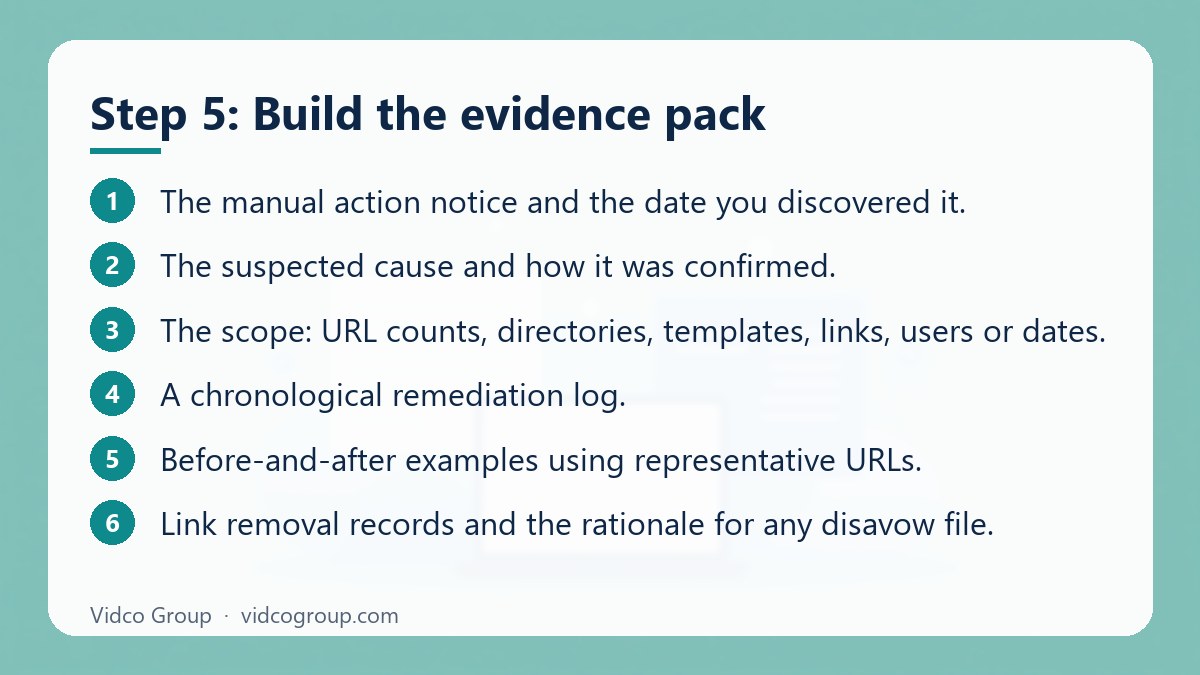
- The manual action notice and the date you discovered it.
- The suspected cause and how it was confirmed.
- The scope: URL counts, directories, templates, links, users or dates.
- A chronological remediation log.
- Before-and-after examples using representative URLs.
- Link removal records and the rationale for any disavow file.
- Security logs, patch details and credential changes where relevant.
- New controls that prevent recurrence.
Keep sensitive information out of the request: no passwords, private customer data or confidential contracts. If you link a Google Doc or Sheet, make sure sharing is set so the reviewer can open it; otherwise summarize the result directly in the request.
Assign ownership for future controls. For example: require editorial review before large-scale page generation, prohibit paid links without documented approval, and schedule monthly checks of administrator accounts and structured data templates. A manual action usually reflects a process failure, not just a collection of bad URLs.
Step 6: Write and submit the reconsideration request
Submit through the Manual actions report only after the fixes are live and verified. Google’s instructions ask you to describe the exact quality issue, the steps you took to fix it and the outcome of your efforts. A strong request is factual, specific and easy to audit, and answers five questions:
- What caused the violation?
- How large was the affected area?
- What exactly was changed?
- What evidence supports completion?
- What controls prevent it from returning?
Take responsibility for what you control, even if a previous supplier created the problem. “An agency did it” is context, not remediation. Explain when that relationship ended, what access was removed and which controls replaced the old process. Keep the request focused. A practical target is 500 to 1,500 words when the issue is complex, although Google publishes no required length. Use short sections and representative examples rather than pasting an unfiltered audit.
A skeleton you can adapt
| Section | What to write |
|---|---|
| 1. Cause | One paragraph: what happened and who or what process was responsible |
| 2. Scope | Counts and patterns, for example “all URLs under one directory created from a single template” |
| 3. Actions | Dated list of removals, rewrites, redirects, outreach and technical changes |
| 4. Evidence | Links to the shared sheet, before/after examples, outreach log |
| 5. Prevention | Named owner, approval workflow, monitoring schedule |
Google confirms receipt by email and sends updates on progress and the final decision.
Common mistakes that get requests rejected
A thin request says, “We fixed the issue. Please reconsider.” It fails because the reviewer cannot determine the cause, the scope, or whether the same system is still running. Other typical weaknesses:
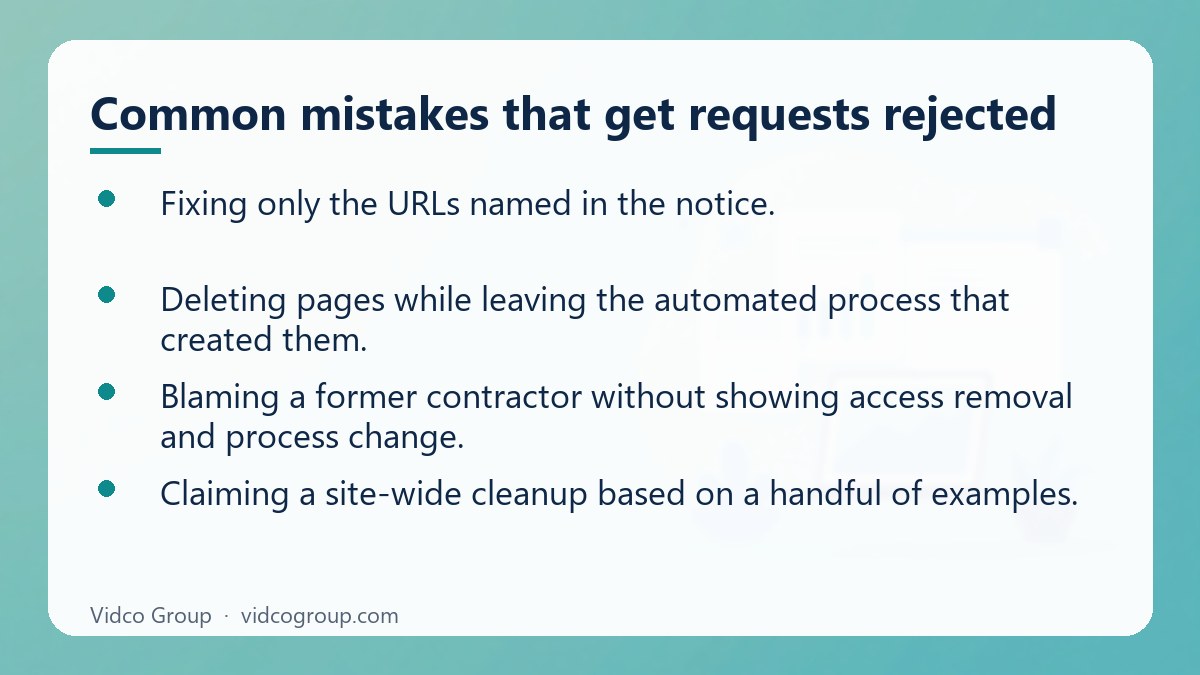
- Fixing only the URLs named in the notice.
- Uploading a disavow file without explaining how links were acquired or what removal was attempted.
- Deleting pages while leaving the automated process that created them.
- Blaming a former contractor without showing access removal and process change.
- Claiming a site-wide cleanup based on a handful of examples.
- Submitting before redirects, content, markup or security changes are live.
- Mixing ranking complaints into the manual action response.
- Re-submitting repeatedly to create pressure.
If Google rejects the request, read the response, map the remaining gap, run another scoped audit and submit again only when the evidence addresses that gap.
After the decision: what recovery looks like
When the manual action is revoked, the report shows that no issues are detected. Keep monitoring Search Console, indexing, rankings, traffic and affected URL patterns. Revocation does not guarantee an immediate return to previous rankings: removed links, deleted pages, algorithm changes and lost trust signals can all alter performance. Record the submission date, response date, decision and next action. Continue the preventive controls for at least 90 days and review them monthly.
If the action remains, treat the answer as evidence that the review found the remediation incomplete, too narrow or poorly documented, and not as proof that nothing changed.
| Outcome | What it usually means | Next step |
|---|---|---|
| Action revoked | Reviewer accepted the fix | Monitor, keep controls, rebuild quality signals |
| Action remains, partial progress noted | Some patterns are fixed, others are not | Re-scope, fix the named gap, then re-submit |
| Action remains, no detail | Evidence or scope unclear | Independent audit, stronger documentation |
| Still pending | Review in progress | Wait; do not resubmit |
When to handle it in-house and when to bring in help
In-house is reasonable when the action is limited to a defined section, you have the logs and records of what happened, and a developer can fix the template.
Outside help is worth considering when the cause is unclear, the site is large, link history was handled by a previous vendor, or the site was hacked. In that case look for a team that works from evidence and documentation, and be wary of anyone who promises a guaranteed removal date or outcome. Nobody outside Google can guarantee that.
Frequently asked questions
How long does it take to remove a Google ban?
Google says most reconsideration reviews take several days or weeks, and in some cases longer. The cleanup before submission often takes more time than the review. Treat any quoted timeline from a vendor as a planning estimate.
How do I know if my site has a Google manual action?
Open the Manual actions report in Google Search Console. If an action exists it names the issue and the affected pages. If the report shows no issues, your ranking problem is not a manual action.
Can I fix only some pages and still get a partial recovery?
No. Google states that fixing the issue on just some pages will not earn a partial return to search results. Fix every affected page or pattern before requesting review.
Should I disavow all suspicious backlinks?
No. Disavow is an advanced tool for links that are spammy or artificial and that caused, or are likely to cause, a manual action. Try removal first and document your attempts.
How many times can I submit a reconsideration request?
Google documentation states no numeric limit, but do not resubmit while a request is pending. Each new request should follow meaningful new work, not a reworded version of the same explanation.
Will my rankings return immediately after the action is lifted?
Not necessarily. Revocation removes the penalty, but the links or pages that were manipulating rankings no longer count, so performance can settle lower than before.
Is a Google ban the same as being deindexed?
Not always. A manual action can demote parts of a site, remove pages or remove the site from results. Deindexing can also come from technical causes such as noindex tags or robots rules, so check the Page indexing and Manual actions reports separately.
Does a security issue count as a manual action?
Security issues appear in a separate Search Console report. Hacked content can also lead to quality actions, so clean the compromise first and check both reports.
Conclusion and next step
Removing a Google ban is a verification exercise. Confirm the notice, map the scope, fix the cause across the whole footprint, test your own work, and send Google a short, evidence-based request. Make the controls permanent so it does not happen again.
Vidco Group can help. If you want a second pair of eyes on your scope map or evidence pack, our team reviews the notice, the affected patterns and your remediation log, then tells you plainly whether the site is ready to submit. See our guide to 404 errors, why a site may not appear in AI Overviews, our content strategy service, or contact us.
Sources
- Google Search Console Help: Manual Actions report
- Google Search Central: Spam policies for Google web search
- Google Search Console Help: Disavow links to your site
- Google Search Central: Security and hacked sites
Updated: tháng 10/2026 (Updated: October 2026). Policies and report wording change; always confirm against the official pages above.
Need an SEO, AEO or GEO strategy?
The Vidco Group team is ready to work with you