How to Use Chatgpt for SEO
How to use ChatGPT for SEO: use it as a fast assistant for structure and mechanical work (keyword clustering, content briefs, title and meta drafts, schema drafts, regex and small...
How to use ChatGPT for SEO: use it as a fast assistant for structure and mechanical work (keyword clustering, content briefs, title and meta drafts, schema drafts, regex and small scripts), then add your own data and experience, verify every fact and metric, and have a human edit before publishing. Do not use it to mass-produce pages or to invent search volumes, statistics or citations.
This guide covers both sides people mean by “SEO ChatGPT”: using ChatGPT to speed up your SEO work, and doing SEO for ChatGPT so your brand is found and cited in its answers. You will get a task-by-task workflow, prompt patterns, a corrected Search Console regex, a quality-assurance checklist, a decision table and the mistakes that most often cost rankings.
Contents
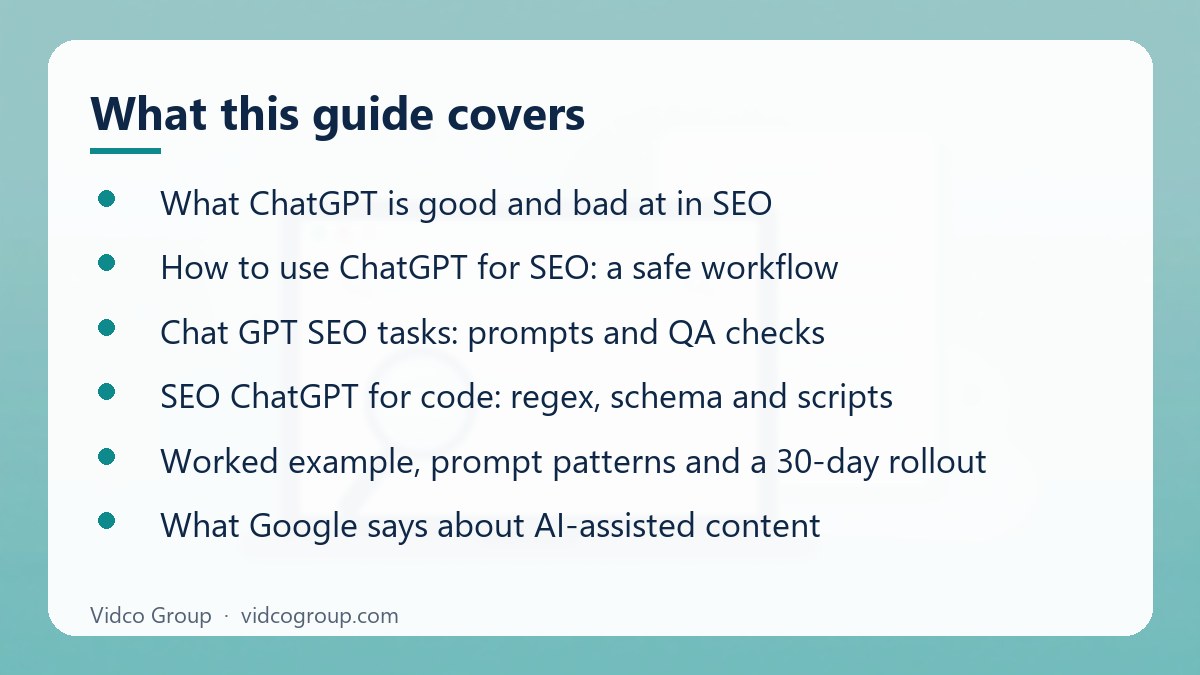
- What ChatGPT is good and bad at in SEO
- How to use ChatGPT for SEO: a safe workflow
- Chat GPT SEO tasks: prompts and QA checks
- SEO ChatGPT for code: regex, schema and scripts
- Worked example, prompt patterns and a 30-day rollout
- What Google says about AI-assisted content
- SEO for ChatGPT: getting your brand cited
- ChatGPTSEO: common pitfalls and what not to do
- When to use it and when not to
- Frequently asked questions
- Sources
What ChatGPT is good and bad at in SEO
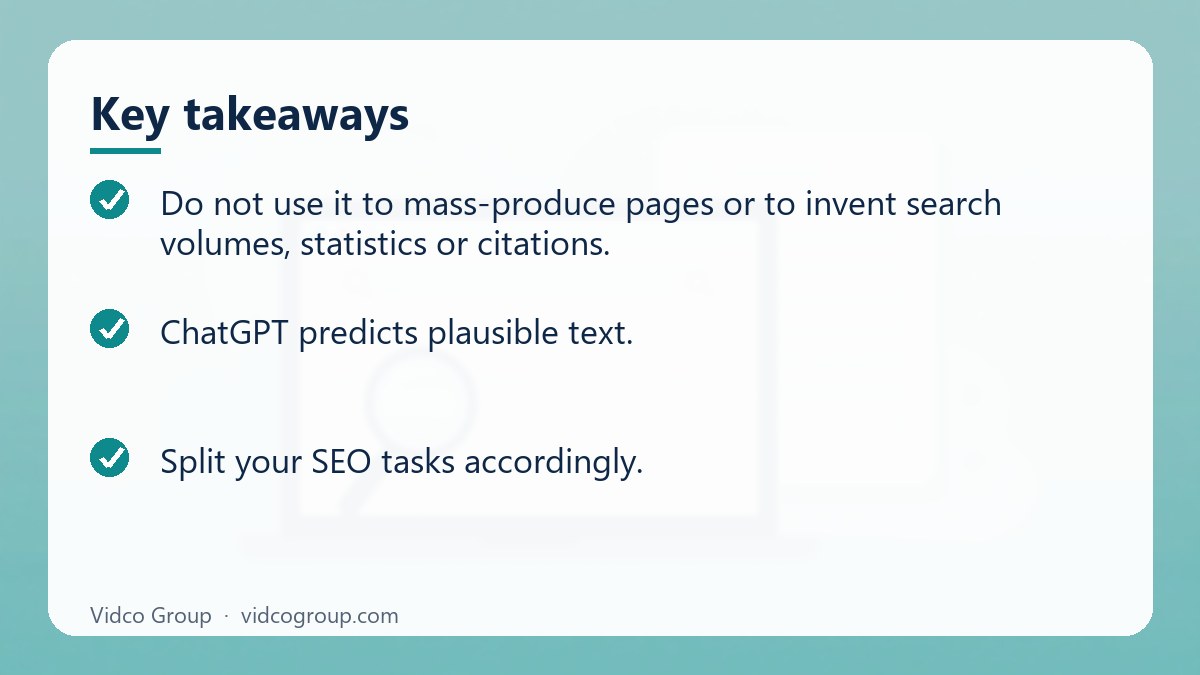
ChatGPT predicts plausible text. That makes it strong at reshaping information you give it and weak at facts it has no way to check. Split your SEO tasks accordingly.
| Task | Fit | Why | Human check |
|---|---|---|---|
| Clustering an exported keyword list by topic and intent | Good | Pattern grouping of data you supply | Compare intent with the live top results |
| Outlining from competitor headings you paste in | Good | Summarising structure you provide | Add angles competitors miss |
| Drafting title tags and meta descriptions | Good | Short text with clear constraints | Check length, accuracy and uniqueness |
| Drafting JSON-LD schema | Good | Structured output from supplied facts | Validate with Schema Markup Validator and Rich Results Test |
| Regex, formulas, simple scripts | Good | Translating a rule into code | Test on a sample before trusting |
| Search volume, keyword difficulty, CPC | Unreliable | No live index or keyword database | Use Google Keyword Planner, Ahrefs, Semrush or Search Console |
| Counting, totals, crawl arithmetic | Unreliable | Predicts text, not exact arithmetic | Use spreadsheet formulas or code |
| Statistics, studies, quotes | Risky | May produce convincing but false citations | Trace every figure to its original source |
| Writing a finished article from one prompt | Risky | Average, unoriginal text without firsthand experience | Use only for skeletons; a subject-matter expert writes the substance |
How to use ChatGPT for SEO: a safe workflow
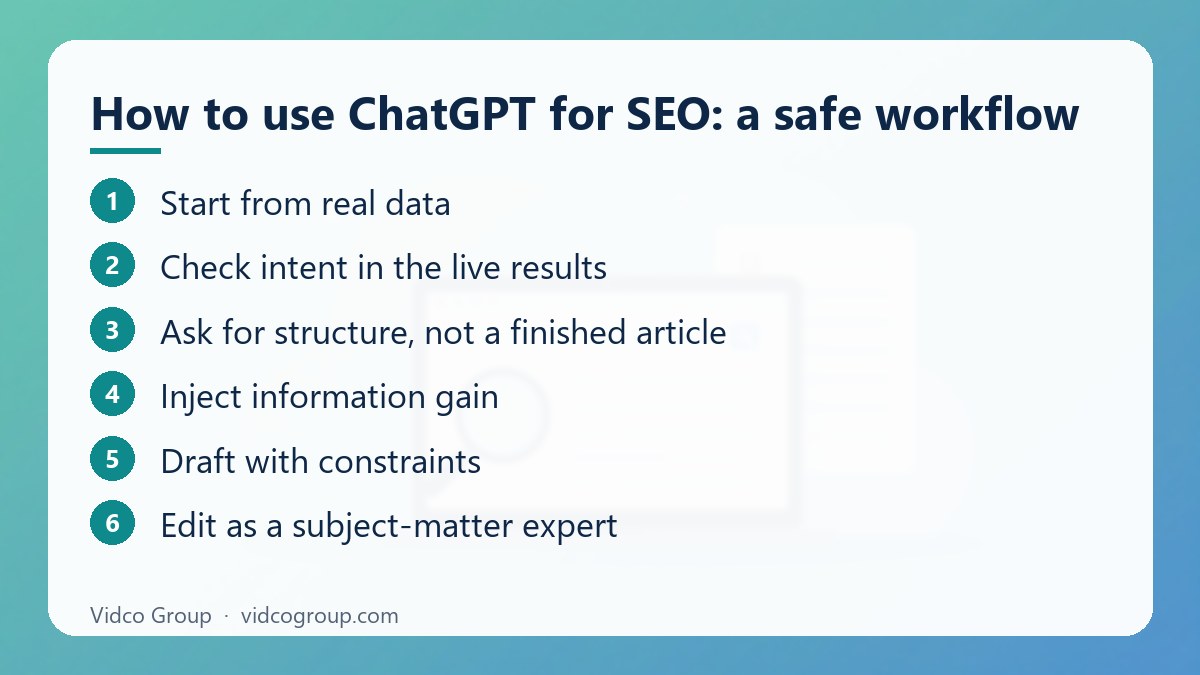
- Start from real data. Export queries and pages from Google Search Console, or keyword lists from your keyword tool. Never start from “give me keywords”.
- Check intent in the live results. Search the target query yourself. The top results show what Google believes users want; ChatGPT’s guess does not.
- Ask for structure, not a finished article. Paste competitor headings and ask ChatGPT to map mandatory subtopics, intent traps and gaps.
- Inject information gain. Supply what only you have: internal data, case notes, expert quotes, pricing logic, screenshots, test results. Instruct the model to use only the material you provide for those sections.
- Draft with constraints. Specify audience, tone, banned filler phrases, required sections and output format.
- Edit as a subject-matter expert. Remove generic transitions, correct claims, add firsthand experience and opinions.
- Fact-check everything. Every number, quote, date and policy statement must be traced to its source.
- Publish with accountability. Add a named author, an updated date and sources, so readers and search systems can see who stands behind the page.
- Measure and iterate. Review impressions, clicks and positions in Search Console after indexing and update the page, not just the prompt.
Chat GPT SEO tasks: prompts and QA checks
1. Keyword and intent clustering
Paste a keyword export with volumes from your tool. Constrain the output: “Return a table with columns Keyword, Parent Topic, Search Intent (informational, commercial, transactional, navigational), Suggested URL Slug. Maximum two topic levels. Do not invent keywords not in the list.” The constraints stop redundant category branches. Then verify commercial intent against the top three live results for each cluster.
2. Content briefs and gap analysis
Paste the headings of the top five ranking pages and your outline. Ask: “List subtopics present in at least three competitors but missing from my outline, and questions none of them answer.” Use the second list as your information-gain section.
3. Titles and meta descriptions
Give two or three good existing examples and hard limits: title under 60 characters with the main query first, description about 150 characters with a benefit and a call to action. Ask for ten options, then choose and edit. Check that each page’s title and description are unique.
4. FAQ ideas
Ask for questions a buyer would ask after reading your page. Answer them from your own knowledge and support. Note that Google has reduced FAQ rich results in search, so write FAQs for readers and for clear answer extraction, not for a guaranteed rich result.
5. Internal link suggestions
Give the source article HTML and a list of target URLs with their main topics. Ask for natural anchor text and the sentence where each link fits. Reject any anchor that reads as forced.
6. Repurposing and editing
ChatGPT is useful for tightening paragraphs, simplifying jargon and checking tone. Keep a record of what you changed so the final page still reflects your expertise.
| Workflow task | Input you must supply | Human QA checkpoint |
|---|---|---|
| Search Console regex | Plain-English rule and example queries | Test inside the Search Console filter |
| Intent and entity clustering | Keyword export from Ahrefs, Semrush or Search Console | Compare against the top live results |
| JSON-LD drafts | Page copy, author details, product facts | Schema Markup Validator and Google Rich Results Test |
| Anchor text ideas | Source HTML, target URL, target topic | Read in context; avoid over-optimisation |
| Brief and outline | Competitor headings, your angle | Add original experience and data |
Time savings vary by team and task, so measure your own before and after rather than trusting generic percentages.
SEO ChatGPT for code: regex, schema and scripts
Search Console regex that actually works
Search Console regex filters use RE2 syntax. RE2 does not support lookaheads or lookbehinds, so patterns such as (?!...) will return no matches. To find question-style queries of six or more words, prompt ChatGPT with the constraint “RE2-compatible, no lookahead” and test a result like this:
(?i)^(how|why|what|can)(s+S+){5,}$
Add it under Performance, then Add filter, Query, Custom (regex), Matches regex. To exclude queries containing “free”, add a second Query filter using Custom (regex) with Doesn’t match regex and the pattern (?i)bfreeb. By default matching is case-sensitive, which is why the (?i) flag is included. Invalid patterns return no rows, so a blank report usually signals a syntax problem.
Schema markup drafts
Provide page text and facts, then ask for valid JSON-LD only. Example: “Convert this expert bio into an Author (Person) JSON-LD block with jobTitle, worksFor and sameAs for LinkedIn. Output only the JSON.” Never let the model invent profile URLs or credentials. Run the result through the Schema Markup Validator and Google’s Rich Results Test, and make sure the markup describes content visible on the page.
Scripts for audits
ChatGPT can draft Python to parse server logs for 404s hit by Googlebot, call the PageSpeed Insights API in bulk, or build redirect maps from two URL lists. Run scripts on a small sample first, read the code before running it, and never paste credentials into prompts.
Worked example, prompt patterns and a 30-day rollout
From keyword export to brief
Suppose you run a site about home espresso and export 300 queries from Search Console. A practical sequence is:
- Clean the export. Remove brand queries and duplicates in a spreadsheet, not in ChatGPT.
- Cluster in batches of 50 to 100 rows. Large pastes degrade consistency. Keep the column format identical in every batch and merge afterwards.
- Review the clusters by hand. Merge near-duplicates, split mixed intent, and mark each cluster as “new page”, “update existing page” or “ignore”.
- Build one brief per new page. Paste the top five competitor outlines and ask for gaps, then add your own angle, such as your tests or measurements.
- Draft sections only where you have material. Where you have no firsthand input, do not ask the model to fill the space; cut the section or collect real input first.
- Record what changed. Note the date and URL of each update so you can compare Search Console performance before and after.
| Cluster (example) | Typical intent | Action |
|---|---|---|
| “how to descale an espresso machine” | Informational, how-to | Update existing guide, add steps and mistakes from your own use |
| “best espresso machine under a budget” | Commercial investigation | New comparison page with your tested criteria |
| “espresso machine brand support number” | Navigational | Ignore; not your content |
Prompt patterns that reduce errors
- Role and audience: state who the page is for and what they already know.
- Source boundary: “Use only the text below. If something is missing, say so instead of guessing.”
- Output format: specify a table, column names, character limits and banned phrases.
- Self-check: ask the model to list claims it could not verify from the supplied text, then verify those yourself.
- One task per prompt: clustering, drafting and fact-checking in a single request produces muddled output.
A 30-day rollout for a small team
| Week | Focus | Output |
|---|---|---|
| 1 | Audit current use and write an AI usage policy: allowed tasks, banned tasks, review rules | One-page policy and a shared prompt library |
| 2 | Pilot clustering and briefs on one topic area | Reviewed clusters and three briefs |
| 3 | Pilot titles, meta descriptions and schema drafts with validation | Updated metadata on a sample of pages and validated markup |
| 4 | Review Search Console changes and decide what to scale | Keep, change or drop list for each workflow |
What Google says about AI-assisted content
Google’s guidance on generative AI says AI can be useful for researching a topic and adding structure to original content, but using it to create many pages without adding value may violate the spam policy on scaled content abuse. Google asks publishers to manually fact-check and review AI-generated content, including titles, meta descriptions and structured data.
When Google announced its March 2024 core update and new spam policies, it said it expected to reduce low-quality, unoriginal content in results by 40% and introduced policies against scaled content abuse, site reputation abuse and expired domain abuse. The scaled content policy applies whether pages are produced by humans, AI or a mix. Some sites received manual actions. The lesson is not “AI is banned” but “volume without value is a risk”.
For helpfulness, Google’s people-first guidance points to originality, firsthand expertise and clear authorship, which are exactly the elements a single prompt cannot supply.
SEO for ChatGPT: getting your brand cited
The other meaning of “SEO for ChatGPT” is visibility inside ChatGPT’s answers. There is no secret switch, but there are concrete controls:
- Crawl access. OpenAI documents OAI-SearchBot for surfacing sites in ChatGPT search, GPTBot for training foundation models, and ChatGPT-User for user-initiated visits. Blocking OAI-SearchBot keeps your pages out of ChatGPT search answers; blocking GPTBot only opts out of training. Robots.txt changes can take about 24 hours to take effect.
- Entity consistency. Keep your organisation name, description, address and people consistent across your site, Wikidata where eligible, and major directories and review platforms.
- Quotable pages. Put a direct answer at the top, use clear headings, tables and sourced facts. Pages that state facts plainly are easier to quote.
- Structured data. Organization, Article and Product markup in JSON-LD helps clarify what a page is about, though Google states no special markup is required for its AI features.
- Third-party presence. Roundups, association listings and reviews are often what models read when recommending brands.
The “GEO: Generative Engine Optimization” paper (KDD 2024) reported visibility gains of up to 40% from methods such as adding citations and statistics. It is a research result, not a guarantee for your site. To measure your own position, see our AI Visibility Audit and our LLM SEO services.
ChatGPTSEO: common pitfalls and what not to do
| Pitfall | What goes wrong | Do this instead |
|---|---|---|
| Asking for search volume or difficulty | Made-up numbers drive bad decisions | Take metrics from Keyword Planner, Ahrefs, Semrush or Search Console |
| Publishing programmatic pages from a prompt and a database | Thin, near-duplicate pages risk the scaled content abuse policy | Add unique data or value to each page and sample-check quality before scaling |
| Trusting counts and totals | Arithmetic errors in audits | Recalculate with formulas or scripts |
| Accepting statistics and citations | Fabricated sources damage credibility | Trace each figure to the original publisher; delete what you cannot verify |
| Publishing first-draft text | Generic, passive, indistinguishable from competitors | Edit as an expert and add firsthand experience |
| Blocking all AI bots in robots.txt by default | Removes you from ChatGPT search | Decide per crawler: OAI-SearchBot for search, GPTBot for training |
| Skipping validation of schema | Invalid or misleading markup | Validate and match markup to visible content |
When to use ChatGPT for SEO and when not to
| Use it when | Avoid or limit it when |
|---|---|
| You have data and need structure, grouping or formatting | You need current metrics, rankings or competitor numbers |
| You need a first-pass outline, titles or schema draft | The topic is medical, legal or financial and accuracy has high stakes, unless an expert reviews every line |
| A subject-matter expert will edit and sign off | No one on your team can fact-check the output |
| Repetitive transformation tasks eat team time | You plan to scale hundreds of pages without per-page value |
For site fundamentals that AI cannot fix, such as crawlability and architecture, start with technical SEO and our guide to crawling.
Frequently asked questions
Can I use ChatGPT for SEO without being penalised?
Yes. Google does not ban AI-assisted content. It targets content created at scale mainly to manipulate rankings, regardless of how it is produced. Use ChatGPT as a tool, add original value, fact-check and keep human accountability.
What is the best way to use ChatGPT for SEO?
Use it on data you supply: cluster keywords, outline from competitor headings, draft titles, schema, regex and scripts. Keep research metrics, facts and final writing under human control.
Can ChatGPT do keyword research?
It can suggest related ideas and group an exported list, but it has no live search volume or difficulty data. Validate ideas and pull metrics from Keyword Planner, Ahrefs, Semrush or Search Console.
Should I let ChatGPT write full articles?
Not unedited. A single-prompt article tends to be generic and lacks firsthand experience. Use it for skeletons and drafting support, then have an expert add original analysis, examples and verified facts.
How do I get my brand mentioned by ChatGPT?
Allow the right crawlers (OAI-SearchBot for search), keep entity details consistent, publish quotable, sourced pages and earn presence in third-party sources models read. There are no guarantees; measure with a fixed set of unbranded questions.
Does blocking GPTBot hurt my ChatGPT visibility?
According to OpenAI, disallowing GPTBot signals content should not be used for training and does not affect appearance in ChatGPT search. OAI-SearchBot is the relevant crawler for search.
Why does my Search Console regex return nothing?
Search Console uses RE2, which does not support lookaheads or lookbehinds. Remove them, use the Doesn’t match regex option for exclusions, add (?i) for case-insensitivity and test with a simple pattern first.
Is SEO for ChatGPT different from SEO for Google?
They overlap: crawlable, accurate, well-structured, authoritative pages help both. SEO for ChatGPT adds checks on AI crawler access, entity consistency and third-party mentions. See our AI SEO agency overview.
Conclusion and next step
ChatGPT saves time on structure and mechanical work, but rankings and citations still depend on original information, verified facts and accountable authorship. Build a repeatable workflow, validate everything it outputs and measure the result in Search Console.
Vidco Group can help: if you want an evidence-based view of how your brand appears in AI answers and how to fix gaps, request an AI Visibility Audit or get in touch.

Sources
- Google Search Central: Using generative AI content on your website
- Google Search Central Blog: March 2024 core update and new spam policies
- OpenAI: Overview of OpenAI crawlers
- Search Console Help: Performance report advanced filtering
- Aggarwal et al., GEO: Generative Engine Optimization
- Schema Markup Validator
Updated: October 2026.
Further reading: Free AI text generators: limits, rights and privacy
Need an SEO, AEO or GEO strategy?
The Vidco Group team is ready to work with you